
Seamless cloud-based synchronization
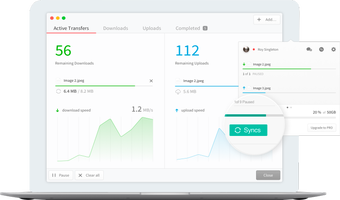
MegaSync is a cloud-based synchronization tool for your Windows computer. The program has a straightforward interface and allows you to customize and optimize your storage and sync files to any device.
Enhance your team’s workflow
These days, most store their important files in the cloud. Working with different platforms can make it difficult to keep track of everything. With MegaSync for Windows you can easily collaborate with your team, sync important files, and manage your data.
An easy set-up
The MegaSync Installer is straightforward. First, you will have to create an account. Once you sign up with Mega’s cloud service, you will be able to download and run the tool.
When you point MegaSync to the folder you need to be synced, the program will take care of the rest of the work. You can access the preferences through the icon on the taskbar. This service will start-up every time that you turn on your computer.
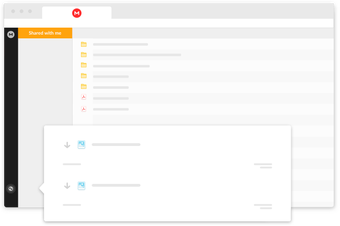
The user interface is aesthetically appealing and easy to understand. The menu is simple to navigate, and you can use it to view recent files and content that has been shared with you
Work with what you need
One thing that is tedious about most cloud-based syncing is that it includes some files that you may not necessarily need or want on multiple devices.
When you install this desktop storage app you can choose to either sync everything from your web account or only specific files.
With Mega storage, if you need to exclude a file from sync, you can do that. Add anything you want by right-clicking and selecting 'upload to MEGA'.
Working on a video project and need to send only the mp4 clips to the editor? With the selective sync feature,you can filter and choose the content of the merger based on file type, folder, or directory.
Collaborate and share
With Mega cloud storage you can even sync folders from other users with their permission. If you have a team that you need to transfer work to and from quickly, this app is for you. Manage contacts, permissions, and share history all through Mega’s Web interface.
Another useful offering from this program is the chat feature. You can initiate a conversation through Mega with any contact. Messages are secured in real-time with high-end encryption.
MEGAbird allows you to send large files through Mozilla Thunderbird.
Use on any device
It’s possible to download mega on all of your computers. The program will keep you up to date with all of your devices whether you’re working on the web, app, or your PC, You can also activate a setting so that all of your photos and video will be automatically synced.
Restore lost content
Losing work due to negligence or hardware failure is devastating. On this app, you can restore deleted files from the trash in case you or someone else accidentally deleted it. The MegaSync software provides 'versioning' of your backups. If you accidentally ruin a file, your data can be restored to the way that it was in a previous version.
Security
You want to make sure that any cloud-based storage that you’re using has the proper security features to protect your data.
MegaSync takes additional steps to protect users with private encryption on the client-side. The TLS and the two-factor authentication adds an additional barrier of security.
It is also admirable that MEGA has public source code. Anyone who wishes to check the security can do so easily. Since MEGA is based in Europe, it is bound by Article 45 of the General Data Protection Regulation. All of your chats are secured by encryption, and your files are protected.
Zero-knowledge
When you share files with MegaSync for desktop, the program will generate a link that you can protect with a key. This will make them “zero-knowledge” so that only people who you give access will be able to read the contents.
You can attach expiry dates and passwords to the links that you send to coworkers and collaborators. For added privacy, you should send the key and the link separately.
There is a downside to this level of security. If you lose your encryption key, you can forget about trying to access your data. No employee at MEGA will be able to help you. Make sure you always remember this passcode.
In terms of convenience, it can be frustrating not to be able to see what content others have access to quickly. While this app has a “shared with me” page, it doesn’t show you the files that you have shared with others.
Free vs Premium
The MegaSync free download Initially offers 50 gigabytes of free storage, but this won’t stick around forever. After six months, thirty-five of the fifty will run out. The unpaid 15GB of space is a great incentive for users to check out the service and see how they like it.
Download MegaSync Pro for PC to receive 200 gigabytes of storage and up to one terabyte of data. There are three extra options for plans if you require additional memory.
This service offers all of the features that you would expect. Like Microsoft One Drive, Google Drive, Dropbox, and iCloud, you can tailor your storage space to your needs but the speed is fast even if you have the free version.
Straightforward and secure
This software will enhance productivity for small businesses and other team-based work. In many ways, this storage program has the potential to replace on-premise file server hardware that can be expensive and require maintenance from an IT department.
The newest version of this software offers a clean interface with extensive features. It is important to note that no matter what storage service you use, you have more than one back-up. It’s best to be prepared for a data glitch of failure.







.png)